




Feature Usage Tutorial
Open Account & Activation
Registration Online
Open a savings account and access services online for those of you who don't have a BTN Bank account.
How to Resgitration Online BTN with balé by BTN
-
1
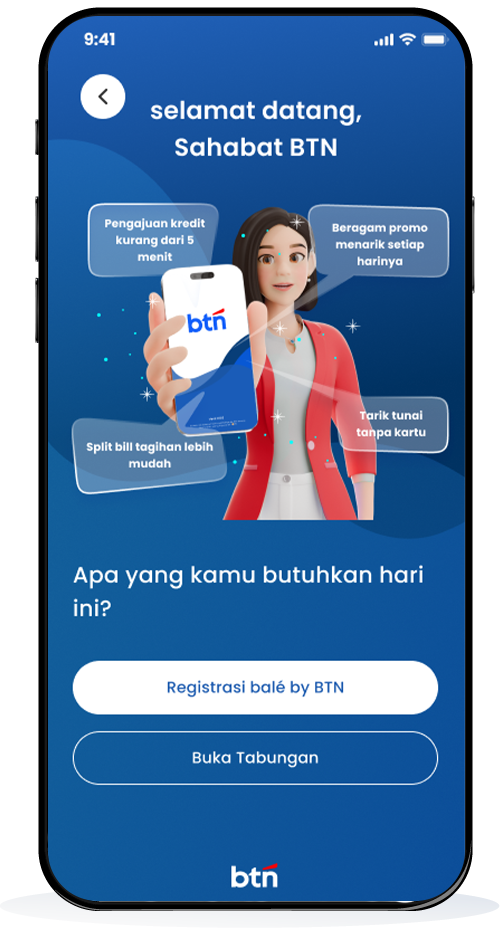
Klik Registrasi
-
2
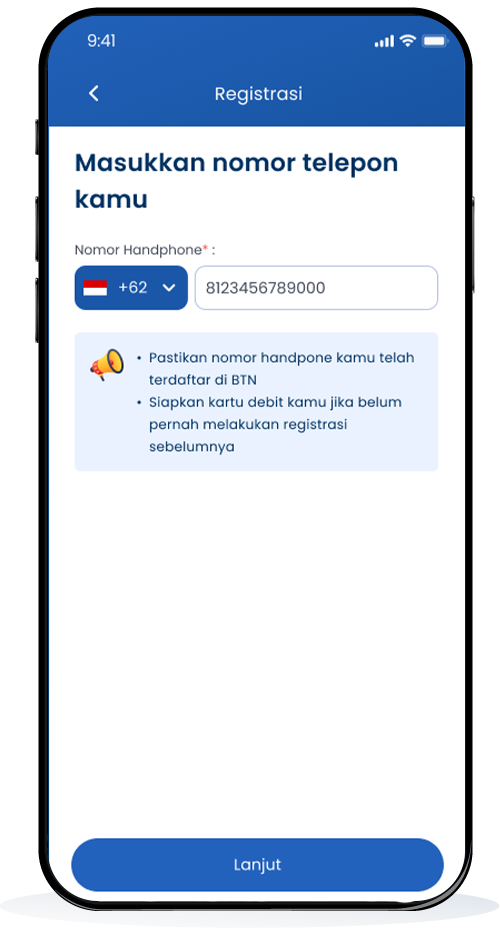
Masukkan No Telepon
-
3
Setuju Syarat dan Ketentuan
-
4
Registrasi kartu debit
-
5
Registrasi via nomor rekening
-
6
Verifikasi identitas
-
7
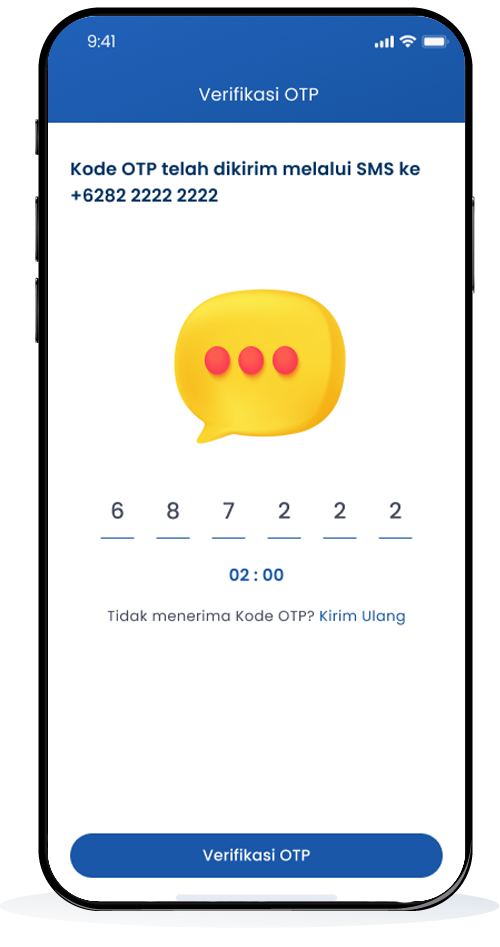
Verifikasi OTP
-
8
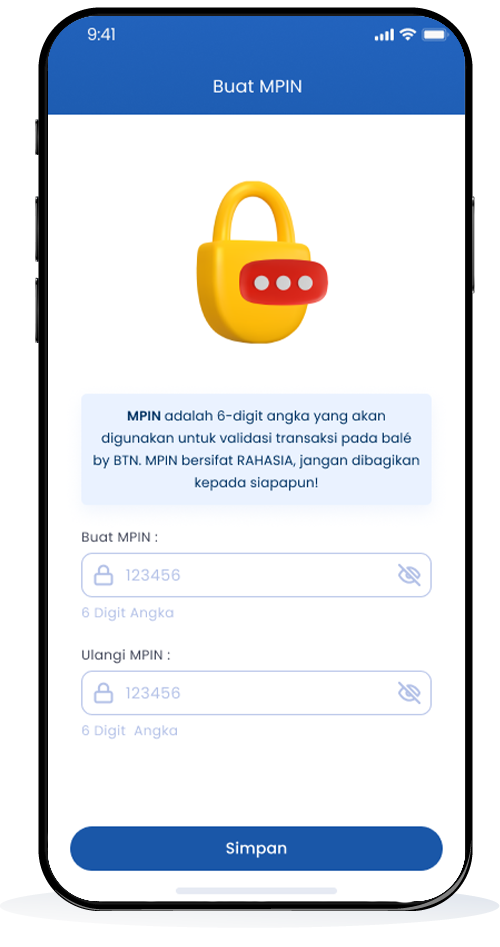
Buat MPIN
-
9
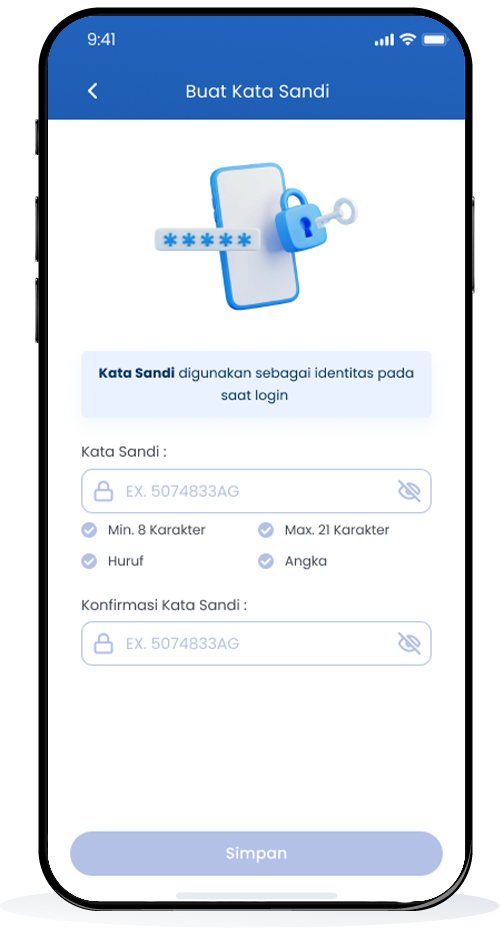
Buat kata sandi
-
10
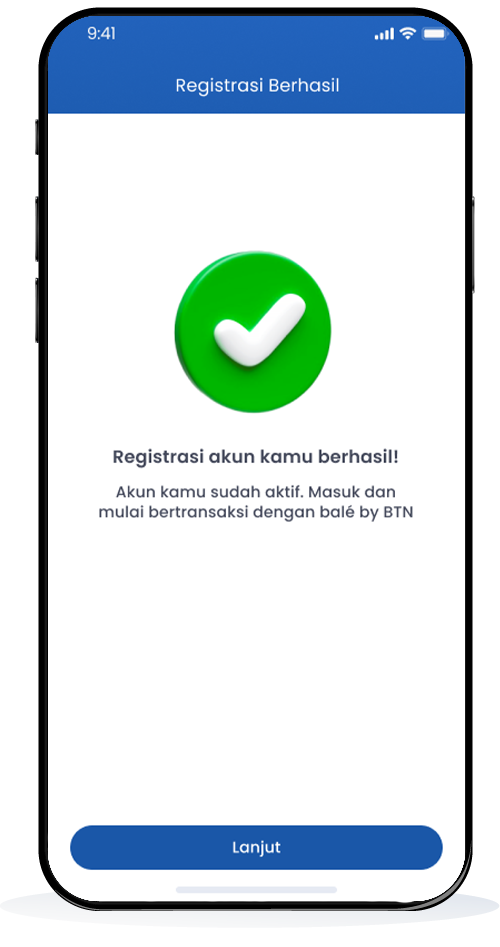
Registrasi berhasil
-
11
Masukan kata sandi untuk login
Klik Registrasi
Klik Registrasi balé by BTN
Masukkan No Telepon
Masukkan Nomor Telepon
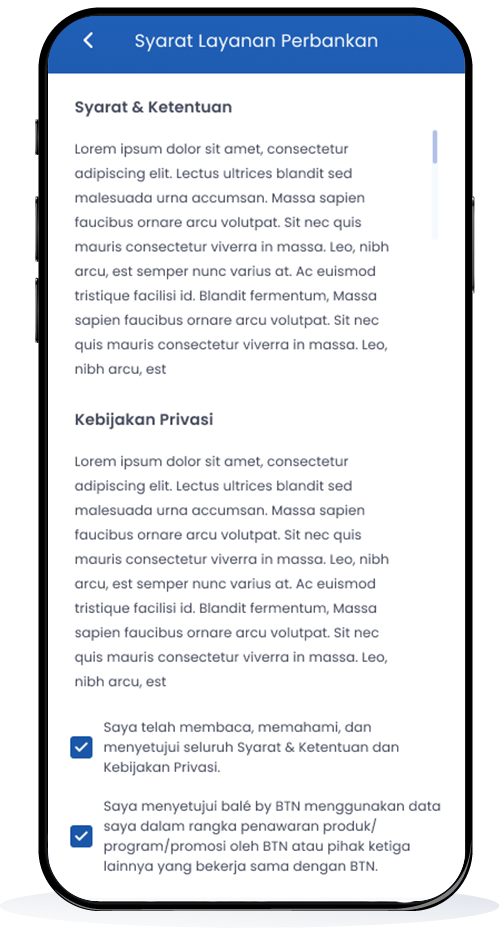
Setuju Syarat dan Ketentuan
Setujui syarat dan ketentuan layanan
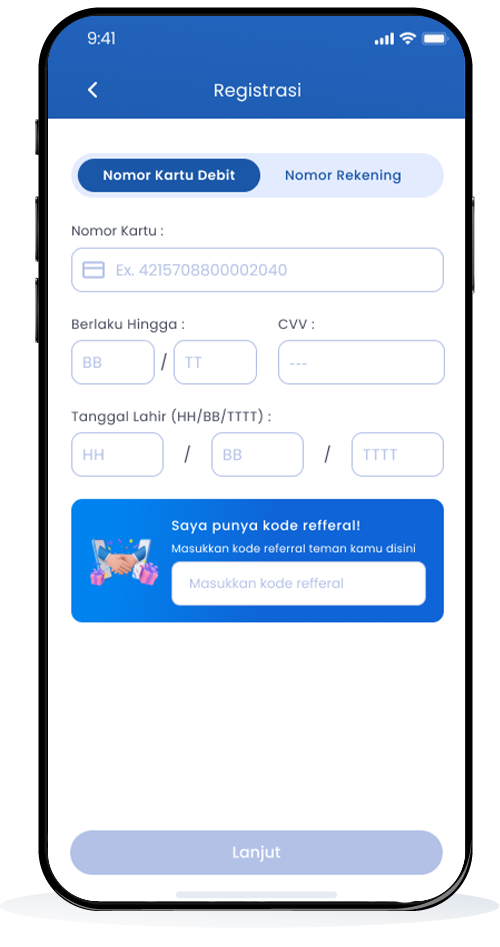
Registrasi kartu debit
Pilih registrasi melalui Nomor Kartu Debit
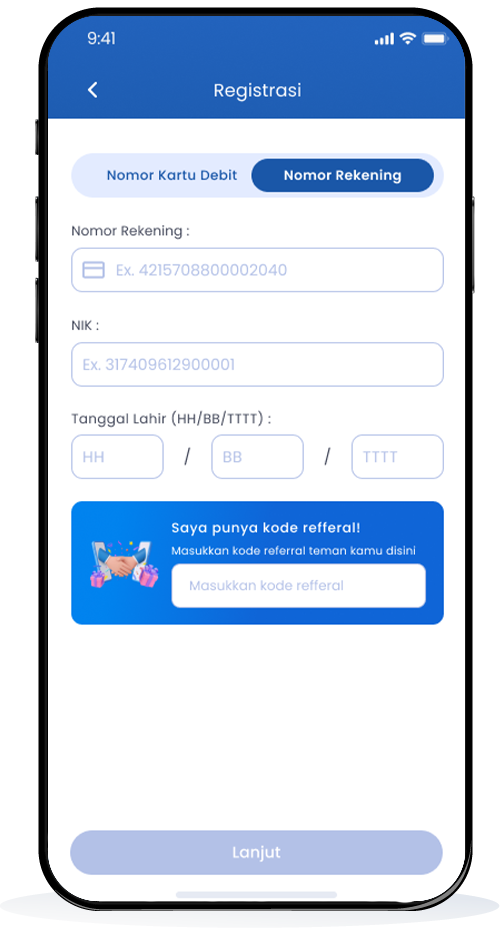
Registrasi via nomor rekening
Registrasi juga dapat melalui Nomor Rekening
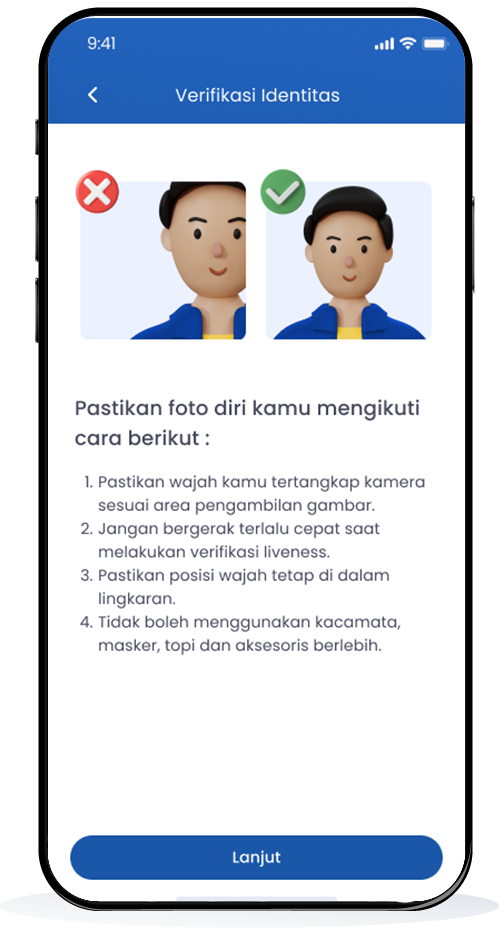
Verifikasi identitas
Verifikasi Identitas dengan Liveness
Verifikasi OTP
Verifikasi OTP
Buat MPIN
Buat MPIN
Buat kata sandi
Buat Kata Sandi
Registrasi berhasil
Registrasi Akun Berhasil
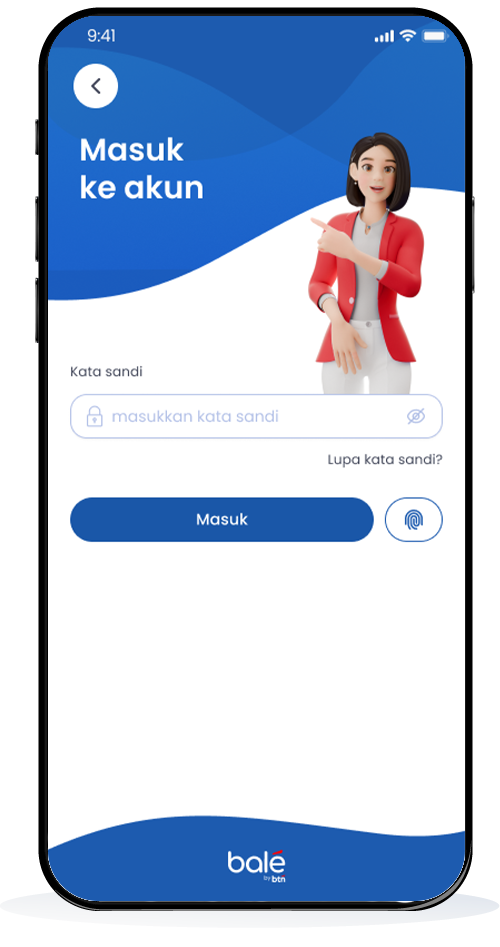
Masukan kata sandi untuk login
Masukan Kata Sandi untuk login
Open Second Account Online
Open a savings account and access services online for those of you who don't have a BTN account.
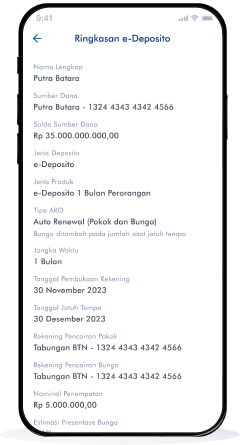
How to Open e-Deposits with balé by BTN
-
1
Open the balé by BTN Application
-
2
Select Category
-
3
Select Product
-
4
Fill in Data
-
5
Data Confirmation
-
6
Enter MPIN
-
7
Successful e-Deposit Opening
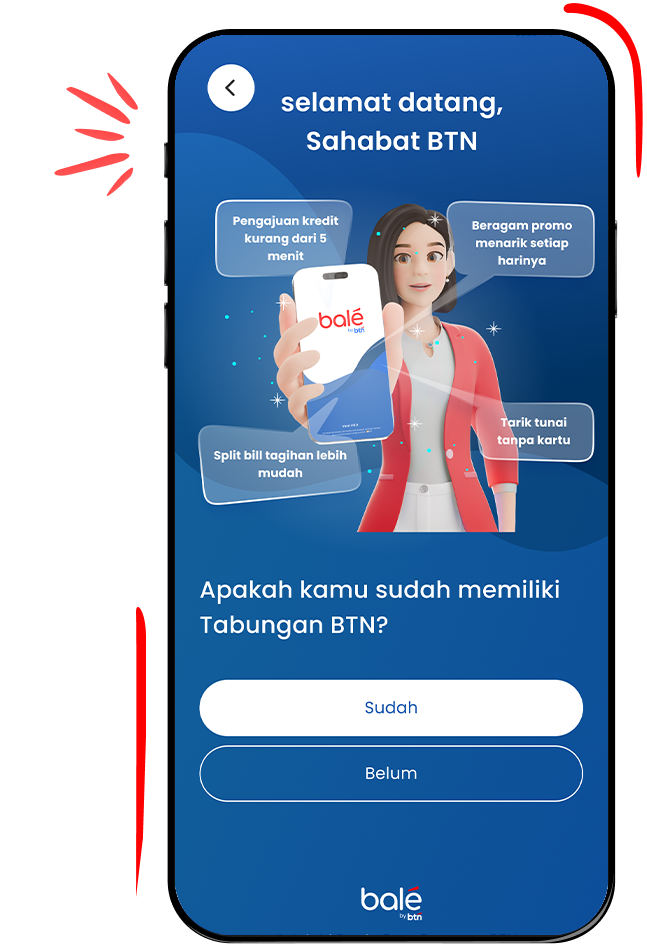
Open the balé by BTN Application
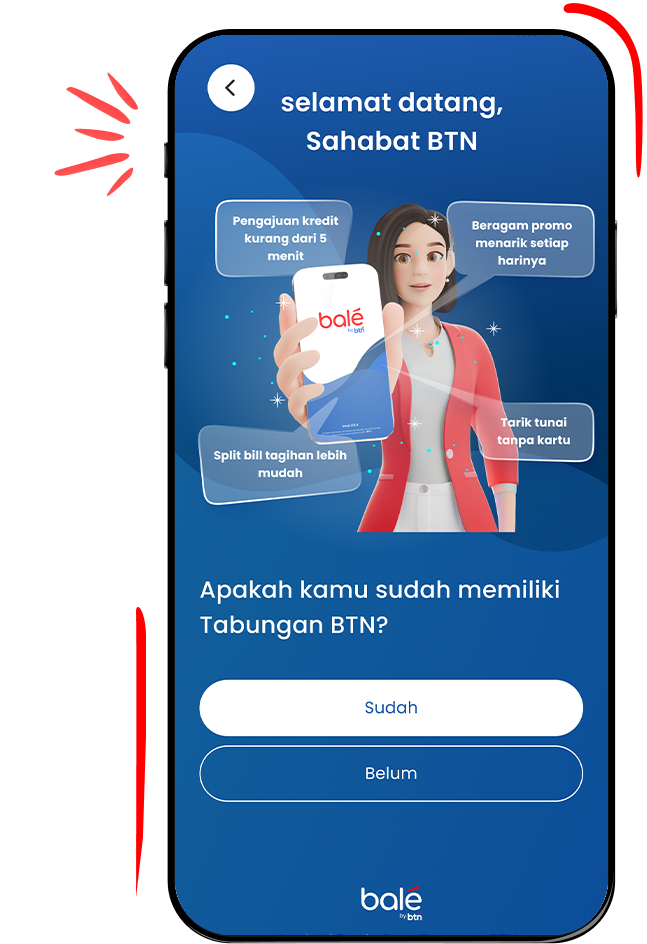
Download and open the balé by BTN application to open an account online and select "I already have an account"


Select Category
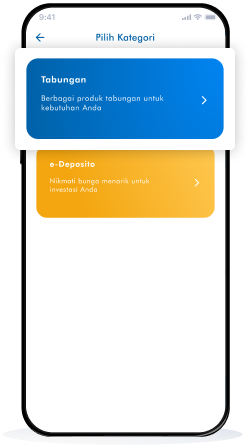
Select a category and click "e-Deposito" to make an investment.
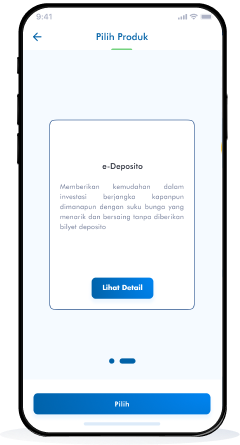
Select Product
Please choose the e-Deposito product that suits your needs.
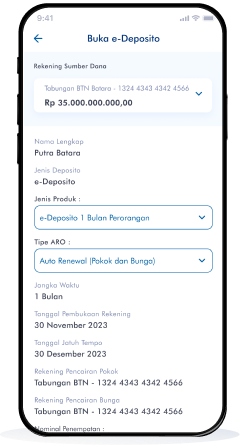
Fill in Data
Complete the required information and click "Continue" for the next process.
Data Confirmation
Make sure the information filled in is correct and matches your identity.
Enter MPIN
Enter your 6 digit MPIN to continue the e-Deposit opening process.
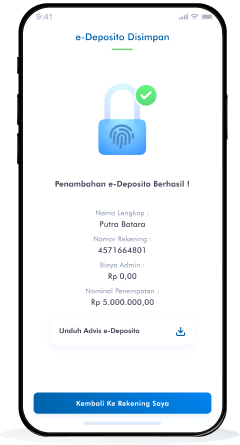
Successful e-Deposit Opening
The e-Deposito opening process is complete and download your advice.


How to Open Tabungan BTN Siap with balé by BTN
-
1
Open the balé by BTN Application
-
2
Select Category
-
3
Select Product
-
4
Do Approval
-
5
Fill in Data
-
6
Check Summary
-
7
Masukkan PIN
-
8
Account Opening Successful
Open the balé by BTN Application
Download and open the balé by BTN application to open an account online and select "I already have an account"
Select Category
Select the "Savings" category to select the intended savings product
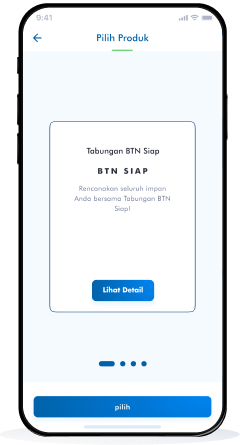
Select Product
Select the "Tabungan BTN Siap" product to open your secondary savings.
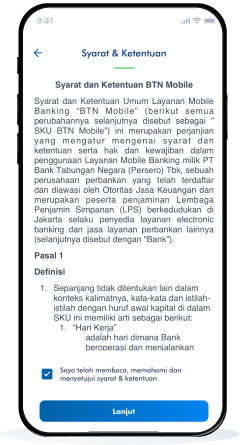
Do Approval
Please read and agree to the terms and conditions for opening a savings account, then click "Continue".
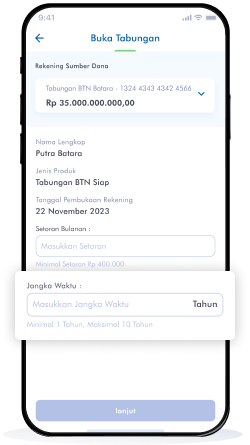
Fill in Data
Enter the nominal deposit and time period you want.
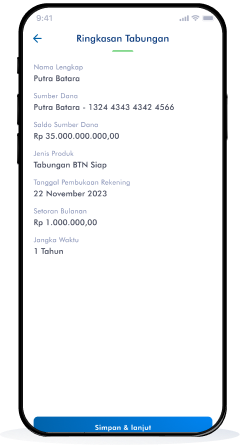
Check Summary
Check the savings summary displayed on your screen, if correct, click "Save & Continue".
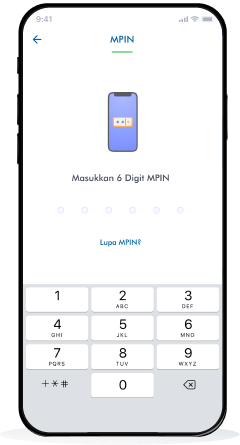
Masukkan PIN
Enter your 6 digit PIN to continue opening a Tabungan BTN Siap account.
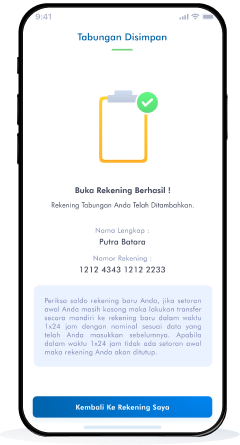
Account Opening Successful
BTN Savings Account Ready to be successfully added and used for your transactions.
How to Open Tabungan BTN Felas with balé by BTN
-
1
Open the balé by BTN Application
-
2
Select Category
-
3
Select Product
-
4
Do Approval
-
5
Fill in Data
-
6
Check Summary
-
7
Enter PIN
-
8
Account Opening Successful
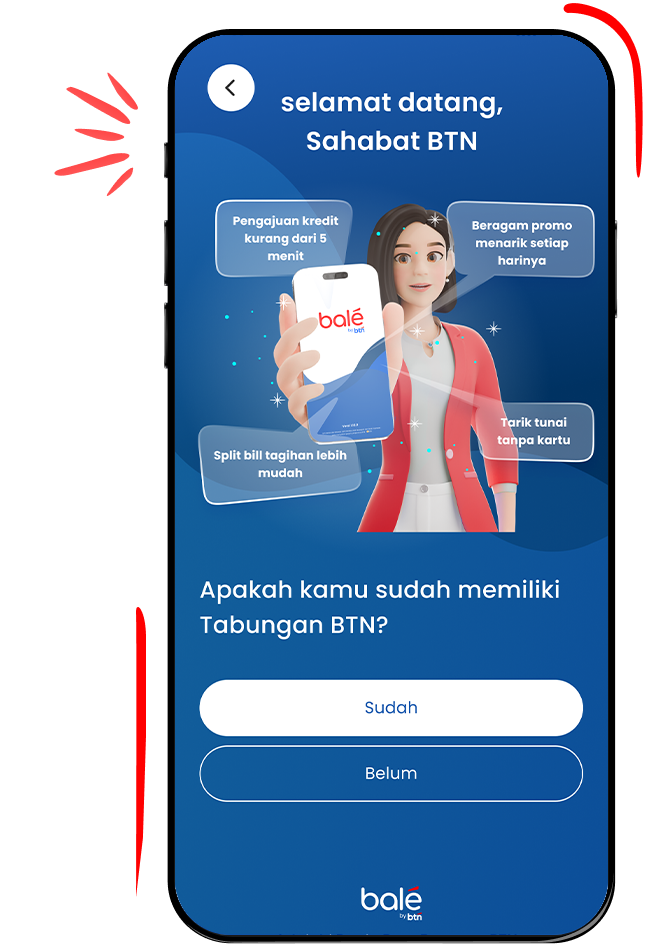
Open the balé by BTN Application
Download and open the balé by BTN application to open savings.
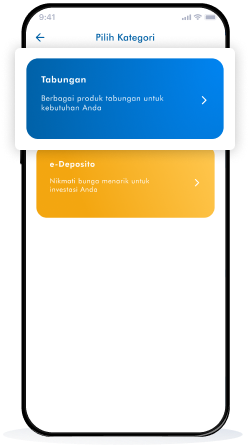
Select Category
Select the "Tabungan" category to select the intended savings product.
Select Product
Select the "Tabungan BTN Felas USD" product to open your secondary savings.
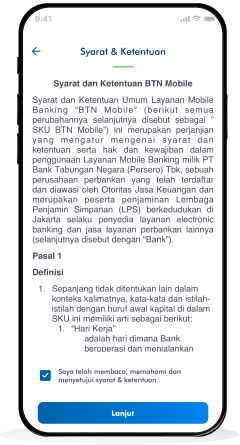
Do Approval
Please read and agree to the terms and conditions for opening a savings account, then click "Continue"
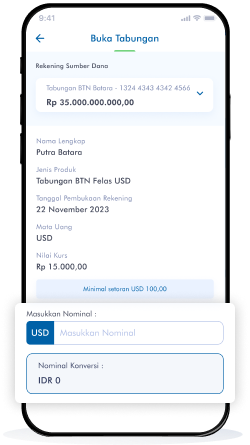
Fill in Data
Enter the conversion amount (USD) you want.
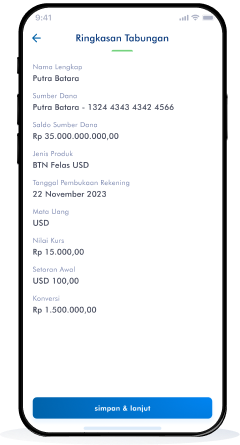
Check Summary
Check the savings summary displayed on your screen, if correct, click "Save & Continue".
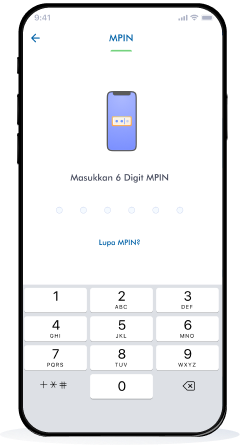
Enter PIN
Enter your 6 digit PIN to continue opening a BTN Felas Savings account.
Account Opening Successful
Tabungan BTN Felas Account has been successfully added and used for your transactions.

How to Open Tabungan BTN Investa with balé by BTN
-
1
Open the balé by BTN Application
-
2
Select Category
-
3
Select Product
-
4
Do Approval
-
5
Fill in Data
-
6
Check Summary
-
7
Enter PIN
-
8
Account Opening Successful
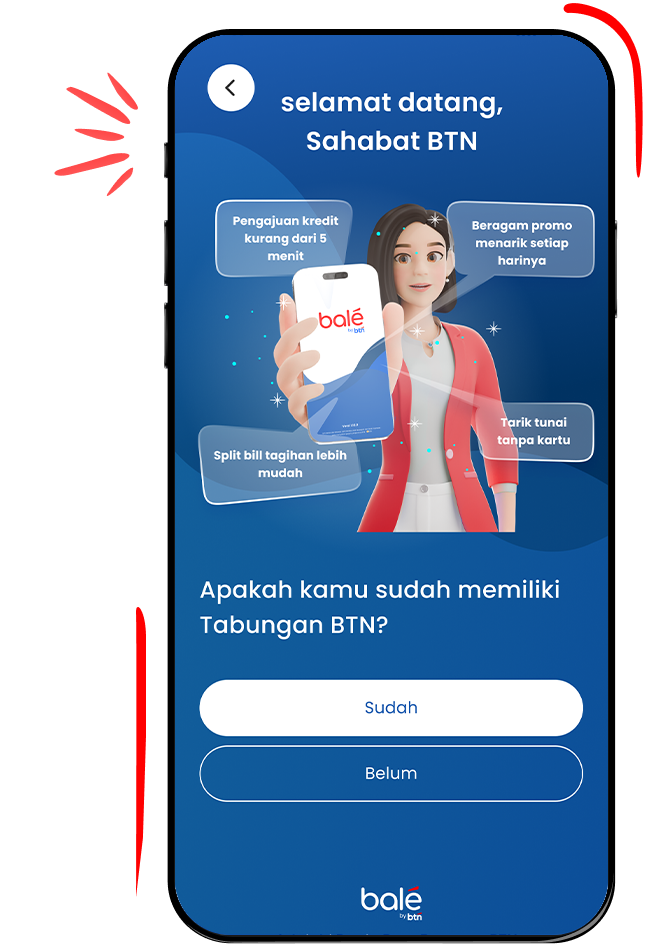
Open the balé by BTN Application
Download and open the balé by BTN application to open savings.
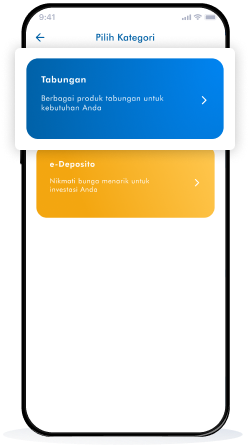
Select Category
Select the "Savings" category to select the intended savings product.
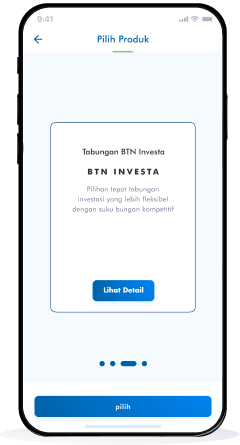
Select Product
Select the "Tabungan BTN Investa" product to open your secondary savings.
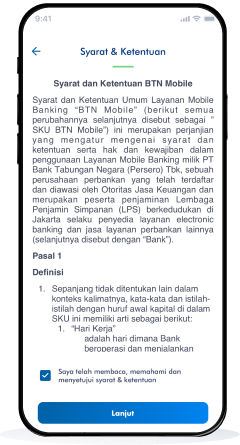
Do Approval
Please read and agree to the terms and conditions for opening a savings account, then click "Continue".
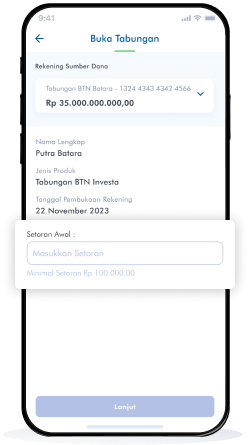
Fill in Data
Enter the initial deposit amount you want.
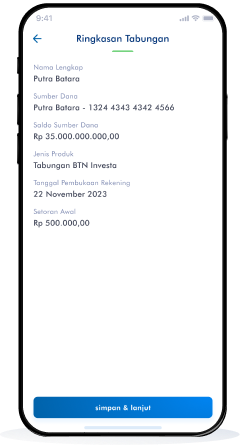
Check Summary
Check the savings summary displayed on your screen, if correct, click "Save & Continue".
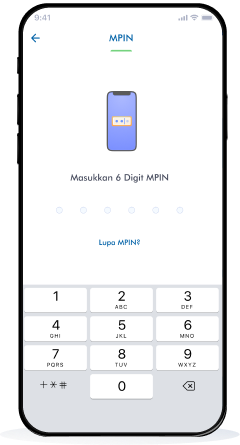
Enter PIN
Enter your 6 digit PIN to continue opening a BTN Investa Savings account.
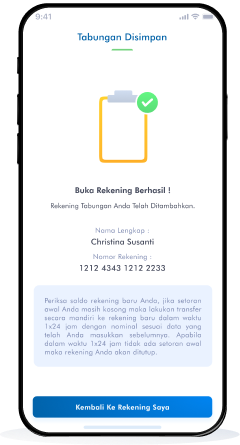
Account Opening Successful
Tabungan BTN Investa Account has been successfully added and used for your transactions
How to Open Tabungan BTN HKBP with balé by BTN
-
1
Open the balé by BTN Application
-
2
Select Category
-
3
Select Product
-
4
Do Approval
-
5
Fill in Data
-
6
Check Summary
-
7
Enter PIN
-
8
Account Opening Successful
Open the balé by BTN Application
Download and open the balé by BTN application to open savings.
Select Category
Select the "Savings" category to select the intended savings product.
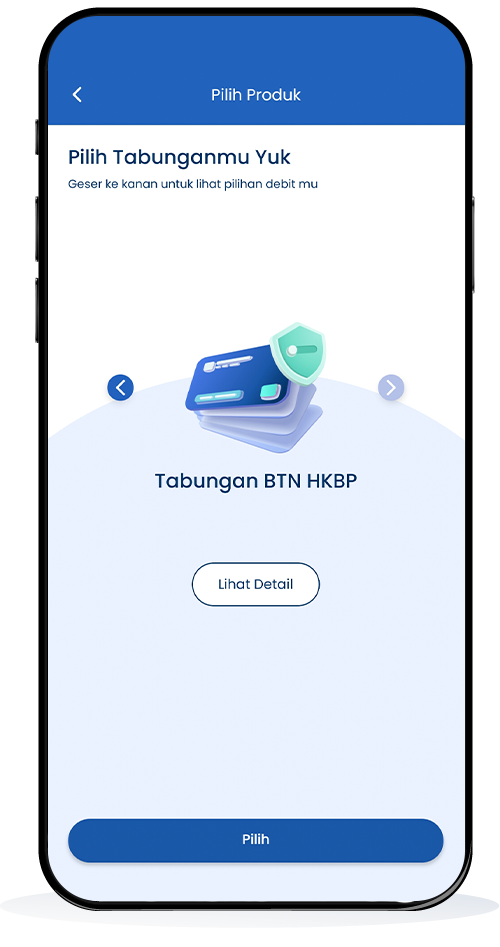
Select Product
Select the "Tabungan BTN HKBP" product to open your secondary savings.
Do Approval
Please read and agree to the terms and conditions for opening a savings account, then click "Continue".
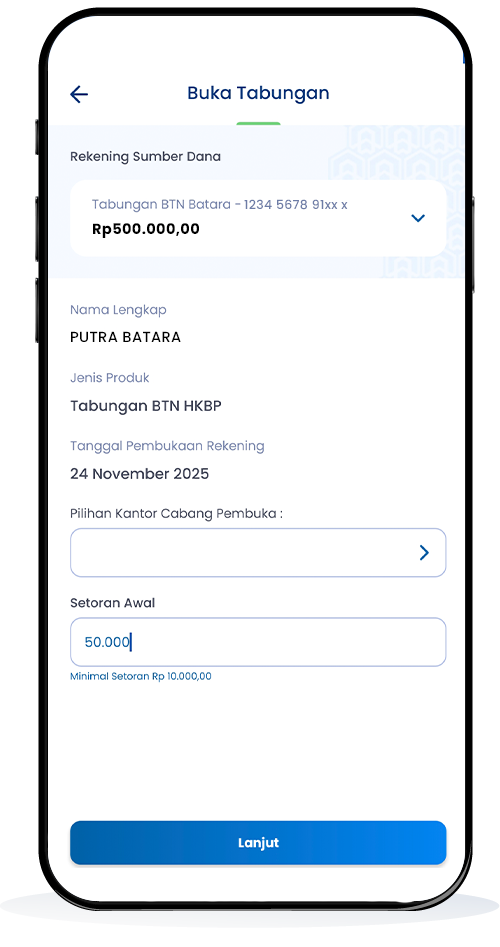
Fill in Data
Enter the initial deposit amount you want.
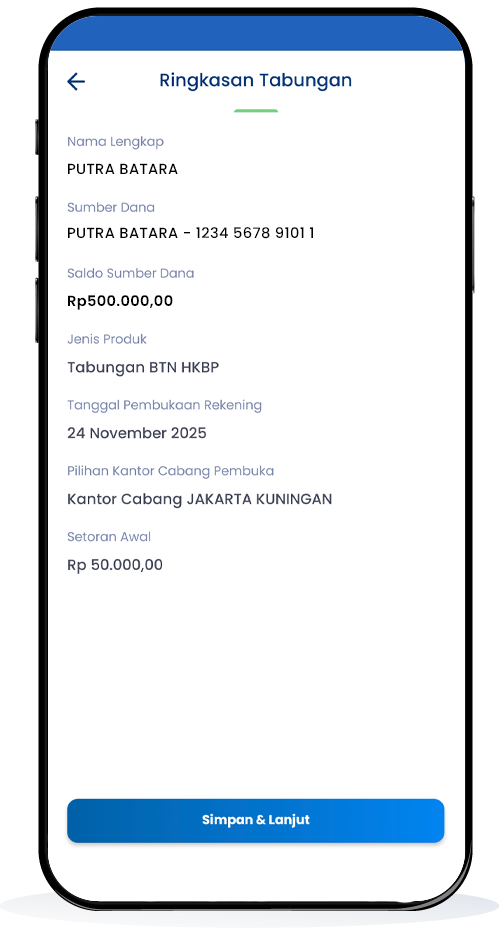
Check Summary
Check the savings summary displayed on your screen, if correct, click "Save & Continue".
Enter PIN
Enter your 6 digit PIN to continue opening a BTN Investa Savings account.
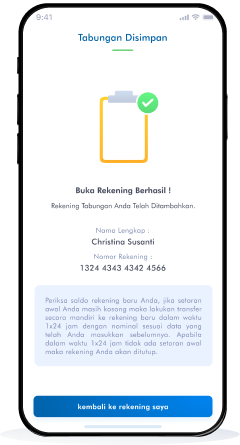
Account Opening Successful
Tabungan BTN Investa Account has been successfully added and used for your transactions
Debit Online
Open a savings account and access services online for those of you who don't have a BTN account.
How to Debit BTN Online with balé by BTN
-
1
Open the balé by BTN Application
-
2
Select ATM Card Service
-
3
Register
-
4
Fill in Data
-
5
Enter PIN
Open the balé by BTN Application
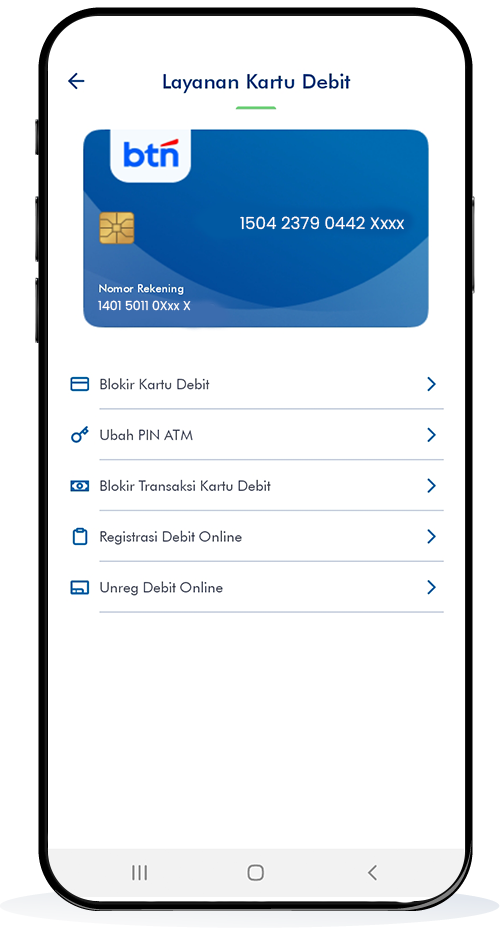
Open the balé by BTN application and select the "Settings" menu.
Select ATM Card Service
Click "ATM Card Services" in the settings menu.
Register
Select "Online Debit Registration" to continue the registration process.
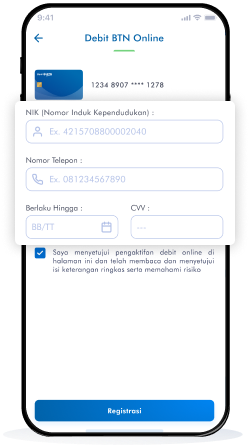
Fill in Data
Fill in the required information, such as NIK, telephone number, card validity period, and CVV
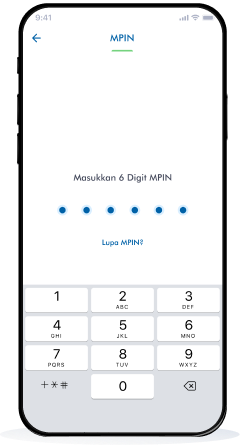
Enter PIN
Enter your 6 digit PIN to continue the Online Debit registration process


Aktivasi Rekening Dorman via balé by BTN
Aktivasi Rekening Dorman lebih mudah kapan saja dengan balé by BTN.
Cara Aktivasi Rekening Dorman dengan balé by BTN
-
1
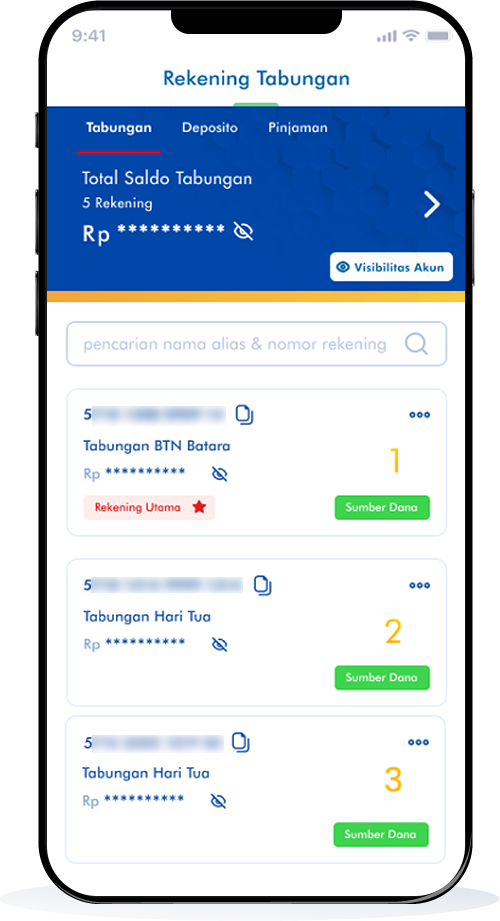
Pilih Rekening
-
2
Pilih Rekening Dormant
-
3
Klik Aktifkan
-
4
Input MPIN
-
5
Aktivasi Rekening Berhasil
-
6
Rekening Berhasil Aktif Kembali
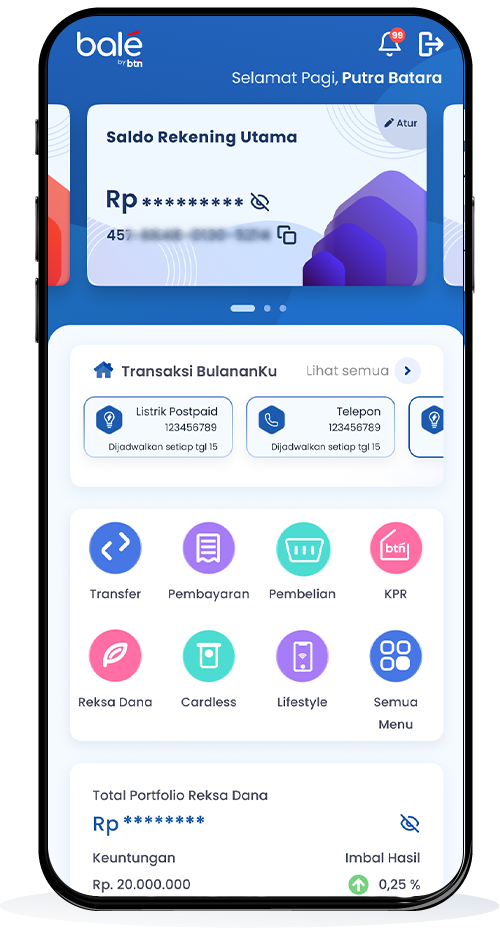
Pilih Rekening
Unduh dan install balé by BTN.
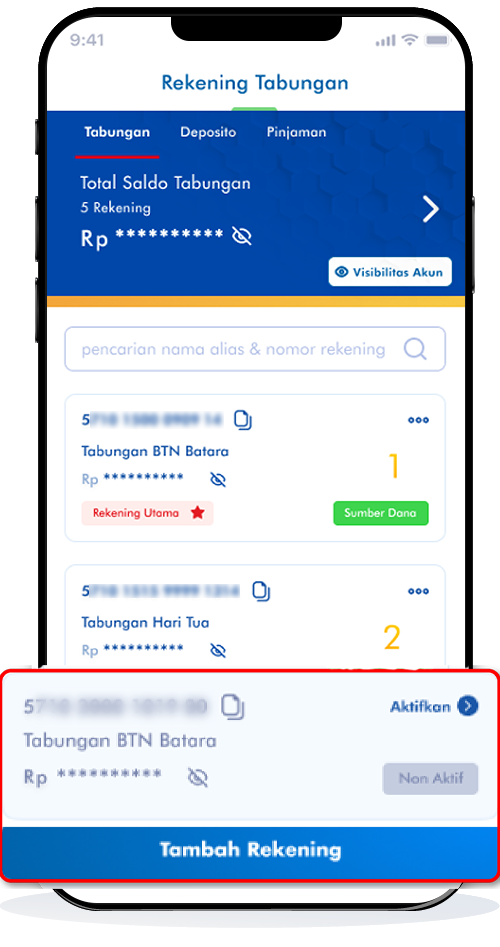
Pilih Rekening Dormant
Pilih "Daftar Tabungan" yang akan Anda aktivasi
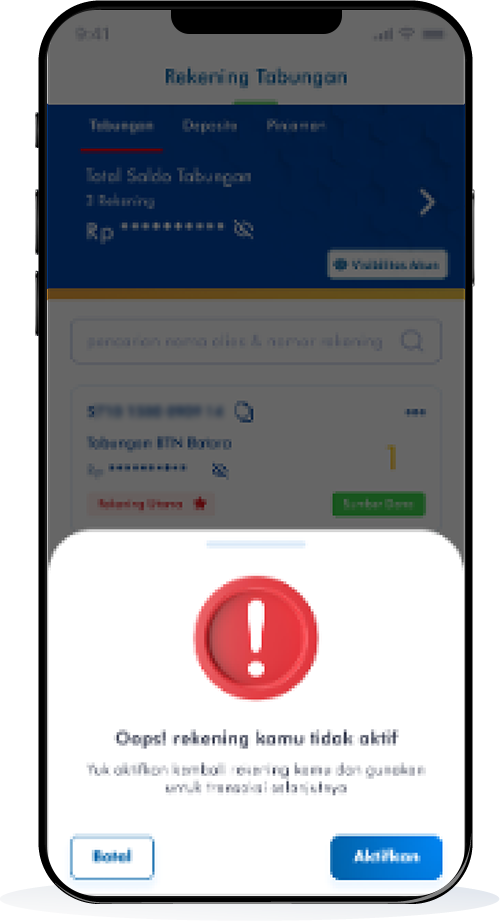
Klik Aktifkan
Klik "Aktifkan" untuk lanjutkan pembukaan rekening dormant.
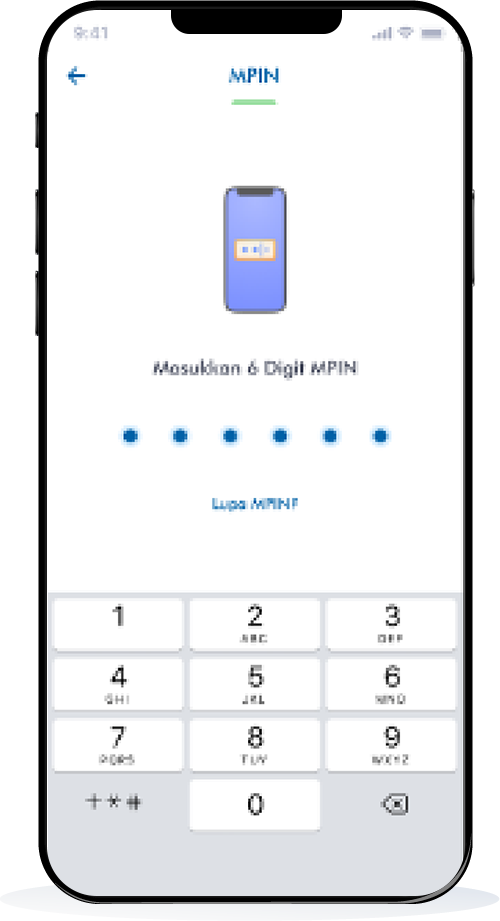
Input MPIN
Masukkan 6 digit MPIN Anda.
Aktivasi Rekening Berhasil
Proses berhasil dan segera lakukan transaksi.
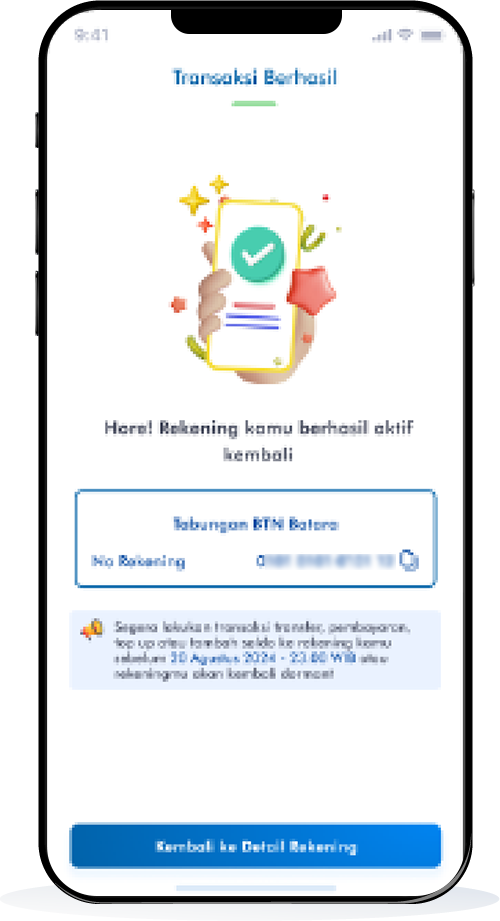
Rekening Berhasil Aktif Kembali
Rekening berhasil aktif kembali!